


Arena.
Crisp · Blitz
Crisp
A sharp, bright snap with nothing wasted.
 MacPipJe volgende Mac-app staat hier.Ontdek nieuwe Mac-apps of lanceer die van jou gratis.macpip.com →
Klik- en toetsgeluiden, rimpels onder je cursor, een schermrecorder, schermafbeeldingen en Clackyland, alles in je menubalk.
Clacky is een Mac-app. Krijg de link per e-mail en open hem op je Mac.
Of koop nu, installeer later · $4.99$4.99ongeveer € 4,44 (Bij benadering. Je betaalt in USD; je bank rekent het om.) eenmalig
Geluiden: macOS 13+ · Screenshots: macOS 14+ · Recorder: macOS 15+
Toetsenbordgeluiden luisteren alleen naar toets omlaag/omhoog. Clacky legt nooit vast, slaat nooit op en verstuurt nooit welke toetsen je typt, en respecteert Secure Input.
Typ iets om een snelheidstest van 30 seconden te starten
Wat je typt verlaat deze pagina nooit. Je score wordt alleen verstuurd als je hem post.
 Clacky
Je Clacky in één oogopslag. Eén schakelaar per kaart, sleep kaarten om te ordenen; meer tools staan hieronder.
Typ op je toetsenbord om je snelheid te testen
Toetsenbordgeluiden
Clacky laat ook je toetsenbord klinken: 29 geluiden in 9 families, van romige thock tot een typemachinebelletje. Typ op je toetsenbord of tik op de toetsen.
Wat Clacky doet
Geluiden, een schermrecorder, screenshots en een klein stadje. Alles in je menubalk.
Crisp Arena
37 klikgeluiden
Een rimpel bij elke klik
Typ of tik op een toets. Je hoort nu Mallow.
Toetsenbordgeluiden
Legt nooit vast, slaat nooit op en verstuurt nooit welke toetsen je typt.
Toetsenbordgeluiden luisteren alleen naar toets omlaag/omhoog. Clacky legt nooit vast, slaat nooit op en verstuurt nooit welke toetsen je typt, en respecteert Secure Input.
Privé door ontwerp
Een zachte tik bij elke scrollstap
Scrolltikken
Clackyland, een klein stadje voor je Blip
Screenshots, met pijlen, vervaging en kaders
Vanaf macOS 14
Schermrecorder, met je kliks en je stem
Vanaf macOS 15
37 click sounds in 8 families. Press play on any card to hear one, or tap a name to keep it.
Crisp · Blitz
A sharp, bright snap with nothing wasted.
Beige · Rollerball
Loud and hollow, like the mouse on a 90s desktop.
Hush · Tap
A muffled click for late nights.
Bubble · Pop
A round little bloop that rises as it pops.
Tok · Pebble
A hollow wooden block, struck once. Round and resonant.
Ballpoint · Airpop
A retractable pen: a plastic double click and a hint of spring.
Shutter · Toggle
A film camera firing: a crisp release, then the curtain.
Pumpkin · Cauldron
A knuckle on a big, hollow pumpkin: a deep, round thunk.
Clacky is yours to tune. Every one of these is a real setting in the app.
37 click sounds. Eight families, from Arena to Spooky.
29 keyboard sounds. Nine families, from creamy thock to a typewriter.
Ripples. Ring, Double, Glow or Dot, in your own colours.
Stereo. Off, Subtle or Wide, so a click on the left sounds left.
Levels. Press, release, scroll and keys, each its own slider.
Your notch. Small, Standard or Large, tiles in your order.
Card themes. Mac, Mac Light, Mac Dark, Clacky or one colour you pick.
Camera bubble. A circle, a rounded square, or 16:9, 4:3 and 9:16.

The Closet. Hats, scarves and more for your Blip, earned as you click.
Take a closer look
Pick a part and watch it come out of the notch.
 The notch at rest
Agents, recordings, music and batteries show up by the notch, then step aside when they're done.

Batteries
Mac Health
All calmYour agents, by the notch. When Claude Code is done or needs you, your Blip pops out to say so. Keep Awake can wait for it too.
26 small tools live inside Clacky, each with its own switch in My Kit. Keep them , turn the ones you don’t need, and they come back just as you left them.
Memory, CPU, battery, busy apps and what fills your disk, with Boop.
Stops your Mac and its screen from sleeping.
One shortcut mutes your mic in every app. Hold it to talk.
Your last 50 copies: search, pin, paste. Off by default, stays on this Mac.
Pick any colour on screen. Copied as HEX, RGB, HSL or SwiftUI.
Each app its own volume up to 200 %, mute and output.
Pomodoro sessions with soft ambient sound, live in the notch.
Quick notes and today's checklist. Stays on this Mac.
Type :sig, get your signature. Your snippets, anywhere you type.
Drag a window to an edge for halves and quarters, or use ⌃⌥ arrows.
Tuck rarely used menu bar icons behind a divider. Notch-safe.
Remove an app and the files it left in your Library. Moves to Trash.
Record, Code, Focus, Call, Quiet: one click switches a set of tools.
A cursor halo, drawing and zoom for demos and talks.
Your script under the camera. Never shows in recordings.
Turn any recording into a small, shareable GIF.
Read a QR code or barcode on screen. Links come without trackers.
Speak, and paste it as a prompt anywhere.
A sound and a nudge when your AI agent needs you.
Claude Code's tokens today and this week, and what they'd cost on the API.
Stops a worn mouse from double-clicking by itself.
Live up and down speed, and which apps are using it.
Save your Clacky set-up to a file and open it on your new Mac.
Spotify or Music in the notch: the song, its cover, play, pause and skip.
Boop catches a coin in the notch for every new sale on Polar or Stripe.
Your Mac, AirPods, mouse, keyboard and trackpad levels, in the notch.
Memory, CPU, battery, busy apps and what fills your disk, with Boop.
Stops your Mac and its screen from sleeping.
One shortcut mutes your mic in every app. Hold it to talk.
Your last 50 copies: search, pin, paste. Off by default, stays on this Mac.
Pick any colour on screen. Copied as HEX, RGB, HSL or SwiftUI.
Each app its own volume up to 200 %, mute and output.
Pomodoro sessions with soft ambient sound, live in the notch.
Quick notes and today's checklist. Stays on this Mac.
Type :sig, get your signature. Your snippets, anywhere you type.
Drag a window to an edge for halves and quarters, or use ⌃⌥ arrows.
Tuck rarely used menu bar icons behind a divider. Notch-safe.
Remove an app and the files it left in your Library. Moves to Trash.
Record, Code, Focus, Call, Quiet: one click switches a set of tools.
A cursor halo, drawing and zoom for demos and talks.
Your script under the camera. Never shows in recordings.
Turn any recording into a small, shareable GIF.
Read a QR code or barcode on screen. Links come without trackers.
Speak, and paste it as a prompt anywhere.
A sound and a nudge when your AI agent needs you.
Claude Code's tokens today and this week, and what they'd cost on the API.
Stops a worn mouse from double-clicking by itself.
Live up and down speed, and which apps are using it.
Save your Clacky set-up to a file and open it on your new Mac.
Spotify or Music in the notch: the song, its cover, play, pause and skip.
Boop catches a coin in the notch for every new sale on Polar or Stripe.
Your Mac, AirPods, mouse, keyboard and trackpad levels, in the notch.
All 26 on. Mac Health, Keep Awake, Mic Mute and the rest, one switch each.
For demos and talks. A ring follows your pointer, hold ⌃⌥D to draw and the ink fades when you let go, ⌃⌥Z zooms in where you click.
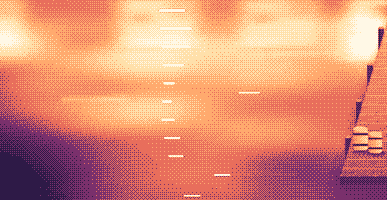
Your lines scroll right under the camera. They never show in your recordings or screenshots.
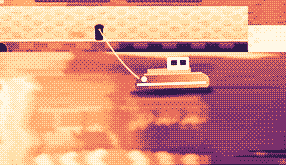
Hi, I'm Sam.
Today I want to show you
how I edit a video
in under two minutes.
First, I drop my recording
into Studio,
and the pauses are cut
before I even press play.
Then I add my music,
and I export.
Click a pixel and it's on your clipboard as HEX, RGB, HSL or SwiftUI. Your last 10 stay close.

Real posts and messages from people who tried it, word for word. Tap one to read the original.

Vedanth
@vedanthk_
The scroll sounds, every turn
“I love it dude! Especially the scroll sounds. You have put a lot of work into the app, and it shows at every turn. Very happy with it 🔥💯”

Iniyan
@iniyanai
Ripples right in the recording
“ripples baked right into the recording means no editing pass for demo videos, love it”
Customer
Shared without a name
7000 clicks in 2 days
“It's been a great experience with the clicky sounds haha, having about 7000 clicks in 2 days its crazy, Loved the concept!”

Joe
@joe_the_worker
Small sounds, big difference
“the app I never knew I needed 😂 incredible big a difference small sounds make”

Rakesh
@heyrakeshdotcom
Clicking and scrolling
“Loving the app Justinas… scrolling and clicking with it so satisfying”

Eknoor
@eknoor01
Bought it on day one
“Bought it the moment I got the mail, Been using it since, Loved it!”
Customer
Shared without a name
A happy customer
“Loving it, Thanks for building it man”
Live
Elke klik op clacky.app komt hier meteen binnen. Klik wat rond en zie de teller stijgen.
Clacks op deze website, sinds het begin
Toplanden
Sinds het begin, live
Shown by country only, never anything finer.
One payment, no subscription. Move it to another Mac any time.
One licence is for 1 Mac. Secure checkout by Polar, in US dollars.
 Clacky
$4.99once
The price of a sound app, with a screen recorder, screenshots and Clackyland too. For 1 Mac, with every update.
Geluiden: macOS 13+ · Screenshots: macOS 14+ · Recorder: macOS 15+
Opens Polar's checkout in a new tab.
Toetsenbordgeluiden luisteren alleen naar toets omlaag/omhoog. Clacky legt nooit vast, slaat nooit op en verstuurt nooit welke toetsen je typt, en respecteert Secure Input.
Try it first, right hereThe keyboard and the clicks at the top of this page are Clacky's real sounds. Play with them before you buy.
Clacky is een kleine Mac-app in je menubalk die een zacht geluid speelt bij elke klik, scroll en toetsaanslag, in elke app, en bij elke klik een rimpeling tekent. Hij neemt ook je scherm op met de klikgeluiden in de video, maakt screenshots en laat een klein havenstadje genaamd Clackyland groeien terwijl je werkt.
Clacky is veilig om te gebruiken. Toetsenbordgeluiden luisteren alleen naar toets omlaag/omhoog. Clacky legt nooit vast, bewaart nooit en verstuurt nooit welke toetsen je typt, en respecteert Beveiligde invoer. Het is door Apple ondertekend en genotariseerd, en de geluiden hebben één toestemming nodig, Invoercontrole; de recorder en screenshots vragen pas om Schermopname als je ze gebruikt.
Clacky kost eenmalig $4.99, voor 1 Mac, met elke update. Er is geen abonnement. Je kunt de klikgeluiden en rimpelingen eerst in je browser proberen op clacky.app.
Ja, in je browser: de demo op clacky.app speelt de klikgeluiden en rimpelingen af, zodat je hoort hoe Clacky is voordat je betaalt. De app zelf kost $4.99 eenmalig, voor 1 Mac, met elke update, en je kunt binnen 7 dagen om terugbetaling vragen (14 dagen waar je lokale wet je meer geeft).
Ja, binnen 7 dagen na je aankoop (14 dagen waar je lokale wet je meer geeft). Mail naar hello@clacky.app en het geld gaat terug via Polar, die de checkout verzorgen.
Clacky werkt op elke Mac met macOS 13 Ventura of nieuwer, Apple silicon en Intel. De schermrecorder heeft macOS 15 nodig en de screenshotstudio macOS 14. Het wordt alleen verkocht op clacky.app, niet in de Mac App Store.
Eén licentie is voor 1 Mac tegelijk, en je kunt hem verplaatsen wanneer je wilt: kies Verhuis naar een andere Mac in Clacky op de oude Mac en plak dan je sleutel op de nieuwe. Voor twee Macs tegelijk koop je een tweede licentie. Eerder gekocht? Je licentie houdt de Macs waarmee hij kwam.
Clacky is licht. In onze eigen meting (29 okt 2026, Clacky 2.7.13 op een M5 Pro MacBook Pro met macOS 26.7.1) gebruikte het ongeveer 1 tot 3% van één processorkern over een minuut op de achtergrond. De batterijduur hebben we nog niet gemeten. Eén schakelaar in de menubalk zet Clacky uit.
Ja. Clacky speelt via alles waarover je Mac speelt, AirPods en Bluetooth-koptelefoons inbegrepen, en sinds 2.7.15 volgt het ze als je ze uitdoet en weer inzet. Zet Alleen met koptelefoon aan en de geluiden spelen nooit via de speakers.
Nee. Clacky (clacky.app) is een eigen app, gemaakt door een andere maker. Klack (tryklack.com) en Klakk (tryklakk.com) zijn andere apps voor toetsenbordgeluiden. Clacky speelt ook muis-, trackpad- en scrollgeluiden, tekent een klikrimpeling en neemt je scherm op. Zie Clacky vs Klack en Clacky vs Klakk.
Ja. Geluiden spelen in elke app, games inbegrepen (toetsenbordgeluiden pauzeren zolang een app Secure Input aan heeft, zoals een wachtwoordveld). Stil tijdens gesprekken, standaard aan, houdt Clacky stil zolang een gespreksapp of je browser de microfoon gebruikt (Zoom, Meet, FaceTime, Teams, Discord en andere), zodat mensen in een gesprek je klikken niet horen. Voor spraakchat in een game breid je het uit naar elke app die de microfoon gebruikt, of zet je de game bij Stil in deze apps. De rimpeling wordt op je scherm getekend, dus mensen zien hem als je je scherm deelt.
Ja. De rimpeling wordt op je echte scherm getekend, dus elke recorder filmt hem mee, en de eigen recorder van Clacky neemt ook het geluid van je Mac op, zodat de klikken in de video staan. De recorder heeft macOS 15 nodig.
37 klikgeluiden in 8 families (Arena, Desk, Studio, Toybox, Tingle, Fidget, Analog en Spooky), 29 toetsenbordgeluiden in 9 families en 8 scrolltik-stijlen. Je kunt ze allemaal horen op clacky.app voordat je iets installeert.
Clackyland is een havenstadje in Clacky dat groeit naarmate je je Mac gebruikt. Je klikken bakken koekjes in de Koekjesfabriek, koekjes kopen looks voor je Blip, het wezentje dat er woont, en de gebouwen groeien naarmate je je Mac meer dagen gebruikt.
Sluit Clacky af en sleep het uit Programma’s naar de Prullenmand. Om op te ruimen verwijder je het ook uit Systeeminstellingen → Privacy en beveiliging → Invoercontrole (en Schermopname, als je de recorder gebruikte), verwijder je de map Clacky in ~/Library/Application Support en het bestand ~/Library/Preferences/app.clacky.Clacky.plist. Je opnames blijven in ~/Movies/Clacky en je screenshots in ~/Pictures/Clacky Screenshots tot je ze verwijdert.
Nee. Opnames en screenshots worden op je Mac bewaard en blijven daar, tenzij je ze zelf deelt.
Eén keer per dag stuurt elke Mac een anonieme check-in: een willekeurige ID die alleen hiervoor is gemaakt, de Clacky- en macOS-versie, en of het gelicentieerd is, zodat we weten hoeveel Macs Clacky gebruiken. Hij zegt niets over wat je doet. Gebruiksstatistieken staan daar los van en zijn optioneel: Clacky vraagt eerst, en je zet ze op elk moment uit in Instellingen (Anonieme gebruiksstatistieken delen). Ze zeggen welke functies en geluiden worden gebruikt, nooit wat je typt, welke toetsen je indrukt, je scherm of waar je klikt. Clacky gaat ook online om op updates te controleren, je licentie te controleren en, als je ze gebruikt, voor Friends en de Bazaar. De privacypagina noemt elk verzoek.
Nog niet. Clacky is een Mac-app. Laat je e-mailadres achter op de feedbackpagina en je hoort het als dat verandert.
Nee. Heb je Clacky eerder gekocht, dan blijft je licentie werken, met elke update.
Click and key sounds, a screen recorder, screenshots, a tiny harbour town and 26 small tools.
$4.99 once, for 1 Mac, with every update.
Geluiden: macOS 13+ · Screenshots: macOS 14+ · Recorder: macOS 15+