

Arena.
Crisp · Blitz
Crisp
A sharp, bright snap with nothing wasted.
 MacPipDeine nächste Mac-App wartet hier.Entdecke neue Mac-Apps oder starte deine eigene kostenlos.macpip.com →
Klick- und Tasten-Sounds, Cursor-Ripples, Bildschirmrekorder, Screenshots und Clackyland, alles in deiner Menüleiste.
Clacky ist eine Mac-App. Hol dir den Link per E-Mail und öffne ihn auf deinem Mac.
Jetzt kaufen, später installieren · $4.99einmalig $4.99etwa 4,44 € (Ungefähr. Abgerechnet wird in USD; deine Bank rechnet um.)
Sounds: macOS 13+ · Screenshots: macOS 14+ · Rekorder: macOS 15+
Tastatur-Sounds hören nur auf Taste runter/hoch. Clacky erfasst, speichert oder sendet nie, welche Tasten du tippst, und respektiert Secure Input.
Tipp irgendwas, um einen 30-Sekunden-Tipptest zu starten
Was du tippst, verlässt nie diese Seite. Dein Ergebnis wird nur gesendet, wenn du es einträgst.
 Clacky
Dein Clacky auf einen Blick. Ein Schalter je Karte, Karten ziehen zum Umsortieren; weitere Werkzeuge warten unten.
Tipp auf deiner Tastatur und miss dein Tempo
Tastatur-Sounds
Clacky spielt auch deine Tastatur: 29 Sounds in 9 Familien, vom cremigen Thock bis zur Schreibmaschinenglocke. Tipp auf deiner Tastatur oder klick die Tasten an.
Was Clacky kann
Klänge, ein Bildschirmrekorder, Screenshots und ein kleines Städtchen. Alles in deiner Menüleiste.
Crisp Arena
37 Klick-Sounds
Ein Ripple bei jedem Klick
Tippe oder drück eine Taste. Du hörst gerade Mallow.
Tastatursounds
Erfasst, speichert oder sendet nie, welche Tasten du tippst.
Tastatur-Sounds hören nur auf Taste runter/hoch. Clacky erfasst, speichert oder sendet nie, welche Tasten du tippst, und respektiert Secure Input.
Privat von Grund auf
Ein leises Ticken für jede Scroll-Raste
Scroll-Ticks
Clackyland, ein kleines Städtchen für deinen Blip
Screenshots, mit Pfeilen, Unschärfe und Rahmen
Ab macOS 14
Bildschirmrekorder, mit deinen Klicks und deiner Stimme
Ab macOS 15
37 click sounds in 8 families. Press play on any card to hear one, or tap a name to keep it.
Crisp · Blitz
A sharp, bright snap with nothing wasted.
Beige · Rollerball
Loud and hollow, like the mouse on a 90s desktop.
Hush · Tap
A muffled click for late nights.
Bubble · Pop
A round little bloop that rises as it pops.
Tok · Pebble
A hollow wooden block, struck once. Round and resonant.
Ballpoint · Airpop
A retractable pen: a plastic double click and a hint of spring.
Shutter · Toggle
A film camera firing: a crisp release, then the curtain.
Pumpkin · Cauldron
A knuckle on a big, hollow pumpkin: a deep, round thunk.
Clacky is yours to tune. Every one of these is a real setting in the app.
37 click sounds. Eight families, from Arena to Spooky.
29 keyboard sounds. Nine families, from creamy thock to a typewriter.
Ripples. Ring, Double, Glow or Dot, in your own colours.
Stereo. Off, Subtle or Wide, so a click on the left sounds left.
Levels. Press, release, scroll and keys, each its own slider.
Your notch. Small, Standard or Large, tiles in your order.
Card themes. Mac, Mac Light, Mac Dark, Clacky or one colour you pick.
Camera bubble. A circle, a rounded square, or 16:9, 4:3 and 9:16.

The Closet. Hats, scarves and more for your Blip, earned as you click.
Take a closer look
Pick a part and watch it come out of the notch.
 The notch at rest
Agents, recordings, music and batteries show up by the notch, then step aside when they're done.

Batteries
Mac Health
All calmYour agents, by the notch. When Claude Code is done or needs you, your Blip pops out to say so. Keep Awake can wait for it too.
26 small tools live inside Clacky, each with its own switch in My Kit. Keep them , turn the ones you don’t need, and they come back just as you left them.
Memory, CPU, battery, busy apps and what fills your disk, with Boop.
Stops your Mac and its screen from sleeping.
One shortcut mutes your mic in every app. Hold it to talk.
Your last 50 copies: search, pin, paste. Off by default, stays on this Mac.
Pick any colour on screen. Copied as HEX, RGB, HSL or SwiftUI.
Each app its own volume up to 200 %, mute and output.
Pomodoro sessions with soft ambient sound, live in the notch.
Quick notes and today's checklist. Stays on this Mac.
Type :sig, get your signature. Your snippets, anywhere you type.
Drag a window to an edge for halves and quarters, or use ⌃⌥ arrows.
Tuck rarely used menu bar icons behind a divider. Notch-safe.
Remove an app and the files it left in your Library. Moves to Trash.
Record, Code, Focus, Call, Quiet: one click switches a set of tools.
A cursor halo, drawing and zoom for demos and talks.
Your script under the camera. Never shows in recordings.
Turn any recording into a small, shareable GIF.
Read a QR code or barcode on screen. Links come without trackers.
Speak, and paste it as a prompt anywhere.
A sound and a nudge when your AI agent needs you.
Claude Code's tokens today and this week, and what they'd cost on the API.
Stops a worn mouse from double-clicking by itself.
Live up and down speed, and which apps are using it.
Save your Clacky set-up to a file and open it on your new Mac.
Spotify or Music in the notch: the song, its cover, play, pause and skip.
Boop catches a coin in the notch for every new sale on Polar or Stripe.
Your Mac, AirPods, mouse, keyboard and trackpad levels, in the notch.
Memory, CPU, battery, busy apps and what fills your disk, with Boop.
Stops your Mac and its screen from sleeping.
One shortcut mutes your mic in every app. Hold it to talk.
Your last 50 copies: search, pin, paste. Off by default, stays on this Mac.
Pick any colour on screen. Copied as HEX, RGB, HSL or SwiftUI.
Each app its own volume up to 200 %, mute and output.
Pomodoro sessions with soft ambient sound, live in the notch.
Quick notes and today's checklist. Stays on this Mac.
Type :sig, get your signature. Your snippets, anywhere you type.
Drag a window to an edge for halves and quarters, or use ⌃⌥ arrows.
Tuck rarely used menu bar icons behind a divider. Notch-safe.
Remove an app and the files it left in your Library. Moves to Trash.
Record, Code, Focus, Call, Quiet: one click switches a set of tools.
A cursor halo, drawing and zoom for demos and talks.
Your script under the camera. Never shows in recordings.
Turn any recording into a small, shareable GIF.
Read a QR code or barcode on screen. Links come without trackers.
Speak, and paste it as a prompt anywhere.
A sound and a nudge when your AI agent needs you.
Claude Code's tokens today and this week, and what they'd cost on the API.
Stops a worn mouse from double-clicking by itself.
Live up and down speed, and which apps are using it.
Save your Clacky set-up to a file and open it on your new Mac.
Spotify or Music in the notch: the song, its cover, play, pause and skip.
Boop catches a coin in the notch for every new sale on Polar or Stripe.
Your Mac, AirPods, mouse, keyboard and trackpad levels, in the notch.
All 26 on. Mac Health, Keep Awake, Mic Mute and the rest, one switch each.
For demos and talks. A ring follows your pointer, hold ⌃⌥D to draw and the ink fades when you let go, ⌃⌥Z zooms in where you click.
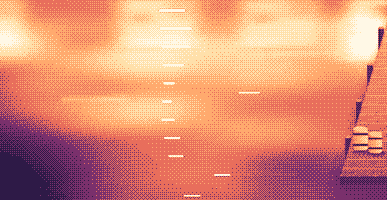
Your lines scroll right under the camera. They never show in your recordings or screenshots.
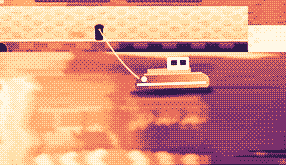
Hi, I'm Sam.
Today I want to show you
how I edit a video
in under two minutes.
First, I drop my recording
into Studio,
and the pauses are cut
before I even press play.
Then I add my music,
and I export.
Click a pixel and it's on your clipboard as HEX, RGB, HSL or SwiftUI. Your last 10 stay close.

Real posts and messages from people who tried it, word for word. Tap one to read the original.

Vedanth
@vedanthk_
The scroll sounds, every turn
“I love it dude! Especially the scroll sounds. You have put a lot of work into the app, and it shows at every turn. Very happy with it 🔥💯”

Iniyan
@iniyanai
Ripples right in the recording
“ripples baked right into the recording means no editing pass for demo videos, love it”
Customer
Shared without a name
7000 clicks in 2 days
“It's been a great experience with the clicky sounds haha, having about 7000 clicks in 2 days its crazy, Loved the concept!”

Joe
@joe_the_worker
Small sounds, big difference
“the app I never knew I needed 😂 incredible big a difference small sounds make”

Rakesh
@heyrakeshdotcom
Clicking and scrolling
“Loving the app Justinas… scrolling and clicking with it so satisfying”

Eknoor
@eknoor01
Bought it on day one
“Bought it the moment I got the mail, Been using it since, Loved it!”
Customer
Shared without a name
A happy customer
“Loving it, Thanks for building it man”
Live
Jeder Klick auf clacky.app landet hier, sobald er passiert. Klick herum und sieh zu, wie die Zahl steigt.
Klacks auf dieser Website, insgesamt
Top-Länder
Insgesamt, live
Shown by country only, never anything finer.
One payment, no subscription. Move it to another Mac any time.
One licence is for 1 Mac. Secure checkout by Polar, in US dollars.
 Clacky
$4.99once
The price of a sound app, with a screen recorder, screenshots and Clackyland too. For 1 Mac, with every update.
Sounds: macOS 13+ · Screenshots: macOS 14+ · Rekorder: macOS 15+
Opens Polar's checkout in a new tab.
Tastatur-Sounds hören nur auf Taste runter/hoch. Clacky erfasst, speichert oder sendet nie, welche Tasten du tippst, und respektiert Secure Input.
Try it first, right hereThe keyboard and the clicks at the top of this page are Clacky's real sounds. Play with them before you buy.
Clacky ist eine kleine Mac-App in der Menüleiste, die in jeder App für jeden Klick, jedes Scrollen und jeden Tastendruck einen weichen Sound spielt und unter jedem Klick eine Welle zeichnet. Sie nimmt auch deinen Bildschirm mit den Klicksounds im Video auf, macht Screenshots und lässt beim Arbeiten eine kleine Hafenstadt namens Clackyland wachsen.
Clacky ist sicher in der Nutzung. Tastatursounds hören nur auf Taste runter/hoch. Clacky zeichnet nie auf, speichert nie und sendet nie, welche Tasten du tippst, und respektiert Secure Input. Es ist von Apple signiert und notarisiert, und die Sounds brauchen nur eine Berechtigung, Eingabeüberwachung; der Rekorder und die Screenshots fragen erst nach Bildschirmaufnahme, wenn du sie nutzt.
Clacky kostet einmalig $4.99, für 1 Mac, mit jedem Update. Es gibt kein Abo. Du kannst die Klicksounds und Wellen vorher im Browser auf clacky.app ausprobieren.
Ja, im Browser: Die Demo auf clacky.app spielt die Klicksounds und Wellen, dann hörst du vorher, wie Clacky ist. Die App kostet einmalig $4.99, für 1 Mac, mit jedem Update, und du kannst innerhalb von 7 Tagen eine Rückerstattung verlangen (14 Tage, wo dein örtliches Recht mehr vorsieht).
Ja, innerhalb von 7 Tagen nach dem Kauf (14 Tage, wo dein örtliches Recht mehr vorsieht). Schreib an hello@clacky.app, und die Rückerstattung läuft über Polar, die den Checkout abwickeln.
Clacky läuft auf jedem Mac mit macOS 13 Ventura oder neuer, Apple Silicon und Intel. Der Bildschirmrekorder braucht macOS 15 und das Screenshot-Studio macOS 14. Verkauft wird nur auf clacky.app, nicht im Mac App Store.
Eine Lizenz gilt für 1 Mac gleichzeitig, und du kannst sie jederzeit umziehen: Wähl in Clacky auf dem alten Mac „Auf einen anderen Mac umziehen“ und füg dann deinen Schlüssel auf dem neuen ein. Für zwei Macs gleichzeitig kaufst du eine zweite Lizenz. Clacky früher gekauft? Deine Lizenz behält die Macs, mit denen sie kam.
Clacky ist leicht. In unserer eigenen Messung (29. Okt. 2026, Clacky 2.7.13 auf einem M5-Pro-MacBook-Pro mit macOS 26.7.1) nutzte es etwa 1 bis 3 % eines CPU-Kerns über eine Minute im Hintergrund. Die Akkulaufzeit haben wir noch nicht gemessen. Ein Schalter in der Menüleiste schaltet Clacky aus.
Ja. Clacky spielt über das, worüber dein Mac spielt, AirPods und Bluetooth-Kopfhörer eingeschlossen, und seit 2.7.15 folgt es ihnen, wenn du sie herausnimmst und wieder einsetzt. Schalte Nur mit Kopfhörern ein, dann spielen die Sounds nie über die Lautsprecher.
Nein. Clacky (clacky.app) ist eine eigene App, von einem anderen Hersteller. Klack (tryklack.com) und Klakk (tryklakk.com) sind andere Tastatursound-Apps. Clacky spielt auch Maus-, Trackpad- und Scroll-Sounds, zeichnet eine Klick-Welle und nimmt deinen Bildschirm auf. Siehe Clacky vs Klack und Clacky vs Klakk.
Ja. Die Sounds spielen in jeder App, auch in Spielen (Tastatursounds pausieren, solange eine App Secure Input eingeschaltet hat, etwa ein Passwortfeld). Still bei Anrufen, standardmäßig an, hält Clacky still, solange eine Anruf-App oder dein Browser das Mikrofon nutzt (Zoom, Meet, FaceTime, Teams, Discord und andere), damit die Leute im Anruf deine Klicks nicht hören. Für Sprachchat in einem Spiel weitest du es auf jede App aus, die das Mikrofon nutzt, oder fügst das Spiel zu „Still in diesen Apps“ hinzu. Die Welle wird auf deinen Bildschirm gezeichnet, also sehen andere sie, wenn du deinen Bildschirm teilst.
Ja. Die Welle wird auf deinen echten Bildschirm gezeichnet, also filmt sie jeder Rekorder, und Clackys eigener Rekorder nimmt auch den Ton deines Macs auf, sodass die Klicks im Video sind. Der Rekorder braucht macOS 15.
37 Klicksounds in 8 Familien (Arena, Desk, Studio, Toybox, Tingle, Fidget, Analog und Spooky), 29 Tastatursounds in 9 Familien und 8 Scroll-Tick-Stile. Du kannst jeden einzelnen auf clacky.app hören, bevor du installierst.
Clackyland ist eine Hafenstadt in Clacky, die wächst, während du deinen Mac nutzt. Deine Klicks backen Kekse in der Keksfabrik, Kekse kaufen Looks für deinen Blip, das kleine Wesen, das dort lebt, und die Gebäude wachsen, je mehr Tage du deinen Mac nutzt.
Beende Clacky und zieh es aus Programme in den Papierkorb. Zum Aufräumen entfernst du es außerdem unter Systemeinstellungen → Datenschutz & Sicherheit → Eingabeüberwachung (und Bildschirmaufnahme, falls du den Rekorder genutzt hast), löschst den Clacky-Ordner in ~/Library/Application Support und die Datei ~/Library/Preferences/app.clacky.Clacky.plist. Deine Aufnahmen bleiben in ~/Movies/Clacky und deine Screenshots in ~/Pictures/Clacky Screenshots, bis du sie löschst.
Nein. Aufnahmen und Screenshots werden auf deinem Mac gespeichert und bleiben dort, solange du sie nicht selbst teilst.
Einmal am Tag sendet jeder Mac einen anonymen Check-in: eine zufällige ID, nur dafür erzeugt, die Clacky- und macOS-Version und ob es lizenziert ist, damit wir wissen, wie viele Macs Clacky nutzen. Er sagt nichts darüber, was du tust. Nutzungsstatistiken sind separat und optional: Clacky fragt zuerst, und du kannst sie jederzeit in den Einstellungen ausschalten (Anonyme Nutzungsstatistiken teilen). Sie sagen, welche Funktionen und Sounds genutzt werden, nie, was du tippst, welche Tasten du drückst, was auf deinem Bildschirm ist oder wohin du klickst. Clacky geht außerdem online, um nach Updates zu suchen, deine Lizenz zu prüfen und, wenn du sie nutzt, für Friends und den Bazaar. Die Datenschutzseite listet jede Anfrage auf.
Noch nicht. Clacky ist eine Mac-App. Hinterlass deine E-Mail auf der Feedback-Seite, dann erfährst du, wenn sich das ändert.
Nein. Wenn du Clacky schon gekauft hast, funktioniert deine Lizenz weiter, mit jedem Update.
Click and key sounds, a screen recorder, screenshots, a tiny harbour town and 26 small tools.
$4.99 once, for 1 Mac, with every update.
Sounds: macOS 13+ · Screenshots: macOS 14+ · Rekorder: macOS 15+