


Arena.
Crisp · Blitz
Crisp
A sharp, bright snap with nothing wasted.
 MacPipआपका अगला Mac ऐप यहीं है।नए Mac ऐप खोजें, या अपना ऐप मुफ़्त में लॉन्च करें।macpip.com →
क्लिक और की साउंड, कर्सर रिपल, स्क्रीन रिकॉर्डर, स्क्रीनशॉट और Clackyland, सब आपके मेनू बार में।
Clacky एक Mac ऐप है। लिंक ईमेल पर पाएँ और अपने Mac पर खोलें।
या अभी खरीदें, बाद में इंस्टॉल करें · $4.99$4.99लगभग ₹481 (अनुमानित कीमत। पेमेंट USD में होता है; आपका बैंक इसे रुपये में बदलता है।) एक बार
साउंड: macOS 13+ · स्क्रीनशॉट: macOS 14+ · रिकॉर्डर: macOS 15+
कीबोर्ड की आवाज़ें सिर्फ़ कीज़ के दबने/छूटने को सुनती हैं। आपने कौन-सी कीज़ टाइप कीं, यह Clacky कभी रिकॉर्ड, सेव या भेजता नहीं, और Secure Input का सम्मान करता है।
कुछ भी टाइप करो, 30 सेकंड का स्पीड टेस्ट शुरू हो जाएगा
आप जो टाइप करते हैं, वह इस पेज से बाहर नहीं जाता। आपका स्कोर तभी भेजा जाता है जब आप उसे पोस्ट करते हैं।
 Clacky
आपका Clacky एक नज़र में। हर कार्ड का एक स्विच, कार्ड खींचकर क्रम बदलें; और टूल नीचे हैं।
स्पीड जाँचने के लिए अपने कीबोर्ड पर टाइप करें
कीबोर्ड साउंड्स
Clacky आपका कीबोर्ड भी बजाता है: 9 फ़ैमिली में 29 साउंड्स, क्रीमी thock से लेकर टाइपराइटर की घंटी तक। अपने कीबोर्ड पर टाइप करें या कीज़ पर टैप करें।
Clacky क्या करता है
आवाज़ें, स्क्रीन रिकॉर्डर, स्क्रीनशॉट और एक छोटा-सा शहर। सब आपके मेन्यू बार में।
Crisp Arena
37 क्लिक साउंड
हर क्लिक पर एक रिपल
कोई की टाइप करें या टैप करें। आप सुन रहे हैं Mallow।
कीबोर्ड साउंड
कभी रिकॉर्ड, सेव या भेजता नहीं कि आप कौन-सी कीज़ टाइप करते हैं।
कीबोर्ड की आवाज़ें सिर्फ़ कीज़ के दबने/छूटने को सुनती हैं। आपने कौन-सी कीज़ टाइप कीं, यह Clacky कभी रिकॉर्ड, सेव या भेजता नहीं, और Secure Input का सम्मान करता है।
शुरू से ही प्राइवेट
स्क्रॉल के हर नॉच पर एक नरम टिक
स्क्रॉल टिक
Clackyland, आपके Blip का छोटा-सा शहर
स्क्रीनशॉट, ऐरो, ब्लर और फ़्रेम के साथ
macOS 14 या नया ज़रूरी
स्क्रीन रिकॉर्डर, आपके क्लिक और आपकी आवाज़ के साथ
macOS 15 या नया ज़रूरी
37 click sounds in 8 families. Press play on any card to hear one, or tap a name to keep it.
Crisp · Blitz
A sharp, bright snap with nothing wasted.
Beige · Rollerball
Loud and hollow, like the mouse on a 90s desktop.
Hush · Tap
A muffled click for late nights.
Bubble · Pop
A round little bloop that rises as it pops.
Tok · Pebble
A hollow wooden block, struck once. Round and resonant.
Ballpoint · Airpop
A retractable pen: a plastic double click and a hint of spring.
Shutter · Toggle
A film camera firing: a crisp release, then the curtain.
Pumpkin · Cauldron
A knuckle on a big, hollow pumpkin: a deep, round thunk.
Clacky is yours to tune. Every one of these is a real setting in the app.
37 click sounds. Eight families, from Arena to Spooky.
29 keyboard sounds. Nine families, from creamy thock to a typewriter.
Ripples. Ring, Double, Glow or Dot, in your own colours.
Stereo. Off, Subtle or Wide, so a click on the left sounds left.
Levels. Press, release, scroll and keys, each its own slider.
Your notch. Small, Standard or Large, tiles in your order.
Card themes. Mac, Mac Light, Mac Dark, Clacky or one colour you pick.
Camera bubble. A circle, a rounded square, or 16:9, 4:3 and 9:16.

The Closet. Hats, scarves and more for your Blip, earned as you click.
Take a closer look
Pick a part and watch it come out of the notch.
 The notch at rest
Agents, recordings, music and batteries show up by the notch, then step aside when they're done.

Batteries
Mac Health
All calmYour agents, by the notch. When Claude Code is done or needs you, your Blip pops out to say so. Keep Awake can wait for it too.
26 small tools live inside Clacky, each with its own switch in My Kit. Keep them , turn the ones you don’t need, and they come back just as you left them.
Memory, CPU, battery, busy apps and what fills your disk, with Boop.
Stops your Mac and its screen from sleeping.
One shortcut mutes your mic in every app. Hold it to talk.
Your last 50 copies: search, pin, paste. Off by default, stays on this Mac.
Pick any colour on screen. Copied as HEX, RGB, HSL or SwiftUI.
Each app its own volume up to 200 %, mute and output.
Pomodoro sessions with soft ambient sound, live in the notch.
Quick notes and today's checklist. Stays on this Mac.
Type :sig, get your signature. Your snippets, anywhere you type.
Drag a window to an edge for halves and quarters, or use ⌃⌥ arrows.
Tuck rarely used menu bar icons behind a divider. Notch-safe.
Remove an app and the files it left in your Library. Moves to Trash.
Record, Code, Focus, Call, Quiet: one click switches a set of tools.
A cursor halo, drawing and zoom for demos and talks.
Your script under the camera. Never shows in recordings.
Turn any recording into a small, shareable GIF.
Read a QR code or barcode on screen. Links come without trackers.
Speak, and paste it as a prompt anywhere.
A sound and a nudge when your AI agent needs you.
Claude Code's tokens today and this week, and what they'd cost on the API.
Stops a worn mouse from double-clicking by itself.
Live up and down speed, and which apps are using it.
Save your Clacky set-up to a file and open it on your new Mac.
Spotify or Music in the notch: the song, its cover, play, pause and skip.
Boop catches a coin in the notch for every new sale on Polar or Stripe.
Your Mac, AirPods, mouse, keyboard and trackpad levels, in the notch.
Memory, CPU, battery, busy apps and what fills your disk, with Boop.
Stops your Mac and its screen from sleeping.
One shortcut mutes your mic in every app. Hold it to talk.
Your last 50 copies: search, pin, paste. Off by default, stays on this Mac.
Pick any colour on screen. Copied as HEX, RGB, HSL or SwiftUI.
Each app its own volume up to 200 %, mute and output.
Pomodoro sessions with soft ambient sound, live in the notch.
Quick notes and today's checklist. Stays on this Mac.
Type :sig, get your signature. Your snippets, anywhere you type.
Drag a window to an edge for halves and quarters, or use ⌃⌥ arrows.
Tuck rarely used menu bar icons behind a divider. Notch-safe.
Remove an app and the files it left in your Library. Moves to Trash.
Record, Code, Focus, Call, Quiet: one click switches a set of tools.
A cursor halo, drawing and zoom for demos and talks.
Your script under the camera. Never shows in recordings.
Turn any recording into a small, shareable GIF.
Read a QR code or barcode on screen. Links come without trackers.
Speak, and paste it as a prompt anywhere.
A sound and a nudge when your AI agent needs you.
Claude Code's tokens today and this week, and what they'd cost on the API.
Stops a worn mouse from double-clicking by itself.
Live up and down speed, and which apps are using it.
Save your Clacky set-up to a file and open it on your new Mac.
Spotify or Music in the notch: the song, its cover, play, pause and skip.
Boop catches a coin in the notch for every new sale on Polar or Stripe.
Your Mac, AirPods, mouse, keyboard and trackpad levels, in the notch.
All 26 on. Mac Health, Keep Awake, Mic Mute and the rest, one switch each.
For demos and talks. A ring follows your pointer, hold ⌃⌥D to draw and the ink fades when you let go, ⌃⌥Z zooms in where you click.
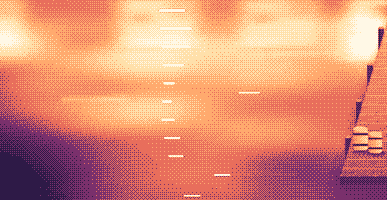
Your lines scroll right under the camera. They never show in your recordings or screenshots.
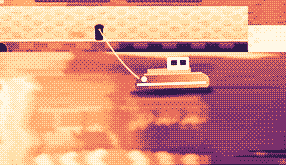
Hi, I'm Sam.
Today I want to show you
how I edit a video
in under two minutes.
First, I drop my recording
into Studio,
and the pauses are cut
before I even press play.
Then I add my music,
and I export.
Click a pixel and it's on your clipboard as HEX, RGB, HSL or SwiftUI. Your last 10 stay close.

Real posts and messages from people who tried it, word for word. Tap one to read the original.

Vedanth
@vedanthk_
The scroll sounds, every turn
“I love it dude! Especially the scroll sounds. You have put a lot of work into the app, and it shows at every turn. Very happy with it 🔥💯”

Iniyan
@iniyanai
Ripples right in the recording
“ripples baked right into the recording means no editing pass for demo videos, love it”
Customer
Shared without a name
7000 clicks in 2 days
“It's been a great experience with the clicky sounds haha, having about 7000 clicks in 2 days its crazy, Loved the concept!”

Joe
@joe_the_worker
Small sounds, big difference
“the app I never knew I needed 😂 incredible big a difference small sounds make”

Rakesh
@heyrakeshdotcom
Clicking and scrolling
“Loving the app Justinas… scrolling and clicking with it so satisfying”

Eknoor
@eknoor01
Bought it on day one
“Bought it the moment I got the mail, Been using it since, Loved it!”
Customer
Shared without a name
A happy customer
“Loving it, Thanks for building it man”
लाइव
clacky.app पर कोई भी क्लिक करे, वह तुरंत यहाँ दिखता है। क्लिक करके देखिए, गिनती बढ़ती है।
इस वेबसाइट के क्लैक, अब तक
टॉप देश
अब तक, लाइव
Shown by country only, never anything finer.
One payment, no subscription. Move it to another Mac any time.
One licence is for 1 Mac. Secure checkout by Polar, in US dollars.
 Clacky
$4.99once
The price of a sound app, with a screen recorder, screenshots and Clackyland too. For 1 Mac, with every update.
साउंड: macOS 13+ · स्क्रीनशॉट: macOS 14+ · रिकॉर्डर: macOS 15+
Opens Polar's checkout in a new tab.
कीबोर्ड की आवाज़ें सिर्फ़ कीज़ के दबने/छूटने को सुनती हैं। आपने कौन-सी कीज़ टाइप कीं, यह Clacky कभी रिकॉर्ड, सेव या भेजता नहीं, और Secure Input का सम्मान करता है।
Try it first, right hereThe keyboard and the clicks at the top of this page are Clacky's real sounds. Play with them before you buy.
Clacky एक छोटा Mac मेन्यू-बार ऐप है जो हर ऐप में हर क्लिक, स्क्रॉल और key दबाव पर एक मुलायम आवाज़ बजाता है, और हर क्लिक के नीचे एक रिपल बनाता है। यह क्लिक की आवाज़ों के साथ आपकी स्क्रीन वीडियो में रिकॉर्ड भी करता है, स्क्रीनशॉट लेता है और आपके काम करते-करते Clackyland नाम का एक छोटा बंदरगाह शहर बसाता है।
Clacky इस्तेमाल करने के लिए सुरक्षित है। कीबोर्ड साउंड सिर्फ़ key down/up सुनते हैं। Clacky आप कौन-सी keys टाइप करते हैं, उसे कभी रिकॉर्ड, सेव या कहीं नहीं भेजता, और Secure Input का सम्मान करता है। यह Apple से signed और notarized है, और इसकी आवाज़ों को सिर्फ़ एक permission चाहिए, इनपुट मॉनिटरिंग; रिकॉर्डर और स्क्रीनशॉट स्क्रीन रिकॉर्डिंग की permission तभी माँगते हैं जब आप उन्हें इस्तेमाल करते हैं।
Clacky की कीमत एक बार $4.99 है, 1 Mac के लिए, हर अपडेट के साथ। कोई सब्सक्रिप्शन नहीं है। पहले clacky.app पर क्लिक आवाज़ें और रिपल अपने ब्राउज़र में आज़माएँ।
हाँ, अपने ब्राउज़र में: clacky.app का डेमो क्लिक आवाज़ें और रिपल चलाता है, तो पैसे देने से पहले आप सुन सकते हैं कि Clacky कैसा है। ऐप एक बार $4.99 का है, 1 Mac के लिए, हर अपडेट के साथ, और आप 7 दिन के अंदर रिफ़ंड माँग सकते हैं (जहाँ आपका स्थानीय कानून ज़्यादा समय देता है, वहाँ 14 दिन)।
हाँ, ख़रीदने के 7 दिन के अंदर (जहाँ आपका स्थानीय क़ानून ज़्यादा समय देता है, वहाँ 14 दिन)। hello@clacky.app पर ईमेल करें, और रिफ़ंड Polar के ज़रिए वापस आता है, जो चेकआउट सँभालते हैं।
Clacky macOS 13 Ventura या उसके बाद वाले किसी भी Mac पर चलता है, Apple silicon और Intel दोनों पर। स्क्रीन रिकॉर्डर के लिए macOS 15 चाहिए और स्क्रीनशॉट स्टूडियो के लिए macOS 14। यह सिर्फ़ clacky.app पर बिकता है, Mac App Store में नहीं।
एक लाइसेंस एक समय में 1 Mac के लिए है, और आप उसे जब चाहें ले जा सकते हैं: पुराने Mac पर Clacky में “दूसरे Mac पर ले जाएँ” चुनें, फिर नए Mac पर अपनी की पेस्ट करें। एक साथ दो Mac के लिए दूसरा लाइसेंस ख़रीदें। पहले Clacky ख़रीदा था? आपका लाइसेंस उतने ही Mac पर चलता रहता है जितनों के साथ वह आया था।
Clacky हल्का है। हमारी अपनी जाँच में (29 Oct 2026, macOS 26.7.1 वाले M5 Pro MacBook Pro पर Clacky 2.7.13) बैकग्राउंड में एक मिनट चलने के दौरान इसने एक CPU core का लगभग 1 से 3% इस्तेमाल किया। हमने अभी बैटरी लाइफ़ नहीं मापी है। मेन्यू बार का एक स्विच Clacky को बंद कर देता है।
हाँ। Clacky वहीं बजता है जहाँ आपका Mac बजता है, AirPods और Bluetooth हेडफ़ोन भी शामिल, और 2.7.15 से जब आप उन्हें निकालते और वापस लगाते हैं तो यह उनके साथ चलता है। सिर्फ़ हेडफ़ोन के साथ चालू करें, तो आवाज़ें स्पीकर पर कभी नहीं बजतीं।
नहीं। Clacky (clacky.app) अपना अलग ऐप है, किसी दूसरे निर्माता का बनाया। Klack (tryklack.com) और Klakk (tryklakk.com) दूसरे कीबोर्ड साउंड ऐप्स हैं। Clacky माउस, ट्रैकपैड और स्क्रॉल की आवाज़ें भी बजाता है, क्लिक रिपल बनाता है और आपकी स्क्रीन रिकॉर्ड करता है। देखें Clacky vs Klack और Clacky vs Klakk।
हाँ। आवाज़ें किसी भी ऐप में बजती हैं, गेम्स भी शामिल (जब किसी ऐप में Secure Input चालू हो, जैसे password field, तब कीबोर्ड आवाज़ें रुक जाती हैं)। कॉल के दौरान शांत, जो डिफ़ॉल्ट रूप से चालू है, Clacky को तब चुप रखता है जब कोई कॉल ऐप या आपका ब्राउज़र माइक इस्तेमाल करता है (Zoom, Meet, FaceTime, Teams, Discord और दूसरे), ताकि कॉल पर लोग आपके क्लिक न सुनें। गेम के अंदर वॉइस चैट के लिए, इसे माइक इस्तेमाल करने वाले किसी भी ऐप तक बढ़ाएँ, या गेम को इन ऐप में शांत में जोड़ें। रिपल आपकी स्क्रीन पर बनता है, इसलिए जब आप अपनी स्क्रीन शेयर करते हैं तो लोग उसे देखते हैं।
हाँ। रिपल आपकी असली स्क्रीन पर बनता है, इसलिए कोई भी रिकॉर्डर उसे फ़िल्म कर लेता है, और Clacky का अपना रिकॉर्डर आपके Mac की आवाज़ भी रिकॉर्ड करता है, तो क्लिक वीडियो में आ जाते हैं। रिकॉर्डर के लिए macOS 15 चाहिए।
8 फ़ैमिली (Arena, Desk, Studio, Toybox, Tingle, Fidget, Analog और Spooky) में 37 क्लिक आवाज़ें, 9 फ़ैमिली में 29 कीबोर्ड आवाज़ें और 8 स्क्रॉल टिक स्टाइल। Install करने से पहले आप हर एक clacky.app पर सुन सकते हैं।
Clackyland Clacky के अंदर का एक बंदरगाह शहर है जो आपके Mac इस्तेमाल करने के साथ बढ़ता है। आपके क्लिक कुकी फ़ैक्टरी में कुकीज़ बेक करते हैं, कुकीज़ से आपके Blip के लिए लुक ख़रीदे जाते हैं, जो वहाँ रहने वाला छोटा-सा जीव है, और आप जितने ज़्यादा दिन अपना Mac इस्तेमाल करते हैं, इमारतें उतनी बढ़ती हैं।
Clacky बंद करें और उसे Applications से Trash में खींच दें। पूरी सफ़ाई के लिए, उसे सिस्टम सेटिंग्स → गोपनीयता और सुरक्षा → इनपुट मॉनिटरिंग (और स्क्रीन रिकॉर्डिंग, अगर आपने रिकॉर्डर इस्तेमाल किया था) से भी हटाएँ, ~/Library/Application Support में Clacky फ़ोल्डर और फ़ाइल ~/Library/Preferences/app.clacky.Clacky.plist डिलीट करें। आपकी रिकॉर्डिंग ~/Movies/Clacky में और स्क्रीनशॉट ~/Pictures/Clacky Screenshots में तब तक रहते हैं जब तक आप उन्हें डिलीट नहीं करते।
नहीं। रिकॉर्डिंग और स्क्रीनशॉट आपके Mac पर सेव होते हैं और वहीं रहते हैं, जब तक आप ख़ुद उन्हें शेयर न करें।
दिन में एक बार हर Mac एक गुमनाम check-in भेजता है: सिर्फ़ इसी के लिए बनी एक रैंडम ID, Clacky और macOS के वर्ज़न, और यह कि वह लाइसेंस वाला है, ताकि हमें पता चले कि कितने Mac पर Clacky चलता है। यह आपके काम के बारे में कुछ नहीं बताता। उपयोग आँकड़े अलग और वैकल्पिक हैं: Clacky पहले पूछता है, और आप उन्हें कभी भी Settings में बंद कर सकते हैं (गुमनाम उपयोग आँकड़े साझा करें)। वे बताते हैं कि कौन-से फ़ीचर और आवाज़ें इस्तेमाल होती हैं, कभी यह नहीं कि आप क्या टाइप करते हैं, कौन-सी keys दबाते हैं, आपकी स्क्रीन, या आप कहाँ क्लिक करते हैं। Clacky अपडेट जाँचने, आपका लाइसेंस चेक करने और, अगर आप इस्तेमाल करते हैं, तो Friends और Bazaar के लिए भी ऑनलाइन जाता है। privacy पेज पर हर request की सूची है।
अभी नहीं। Clacky एक Mac ऐप है। फ़ीडबैक पेज पर अपना ईमेल छोड़ दें, कुछ बदला तो आपको पता चल जाएगा।
नहीं। अगर आपने Clacky पहले ख़रीदा था, तो आपका लाइसेंस हर अपडेट के साथ चलता रहेगा।
Click and key sounds, a screen recorder, screenshots, a tiny harbour town and 26 small tools.
$4.99 once, for 1 Mac, with every update.
साउंड: macOS 13+ · स्क्रीनशॉट: macOS 14+ · रिकॉर्डर: macOS 15+