 MacPip
Place
Studio: record, edit and capture on your Mac
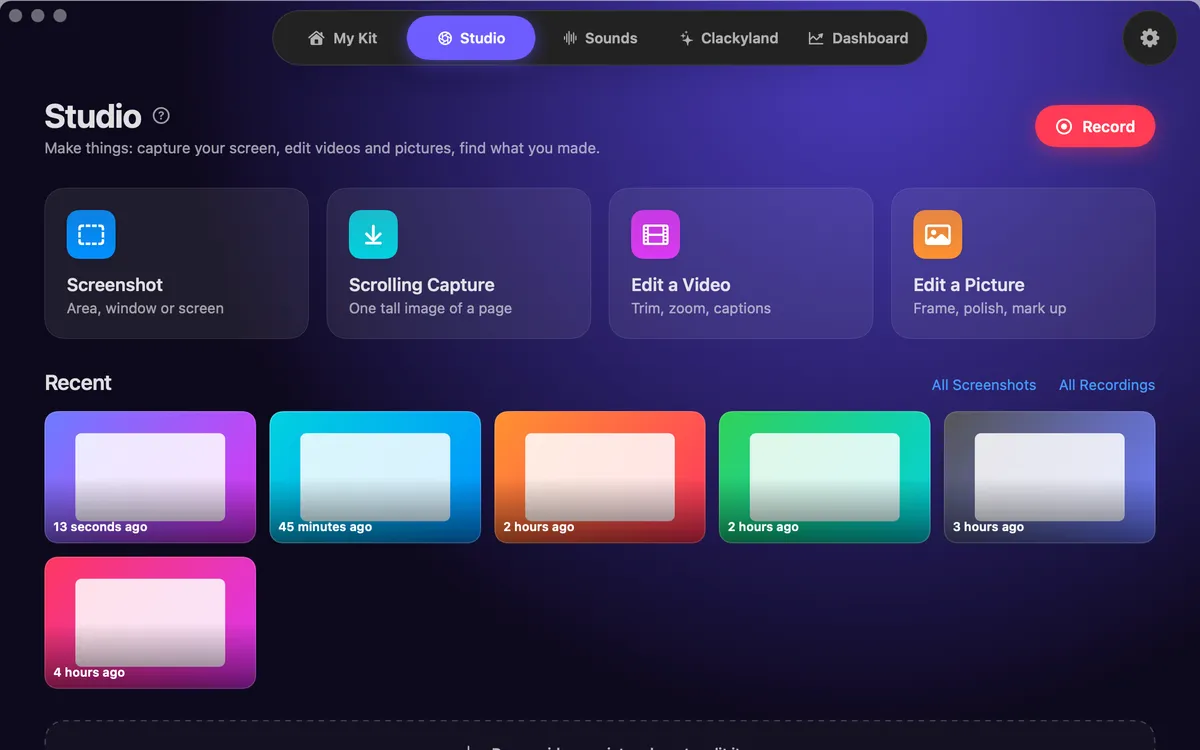
Studio is where Clacky records and edits. It is a screen recorder that hears your clicks, a video editor that does the boring cuts for you, and a screenshot studio, in one place.
Recording, transcription, captions and export all happen on your Mac. Nothing is uploaded.
The screen recorder
Record the full screen, one window or an area you drag out. Mac Audio is on, so your click sounds and everything your Mac plays are in the video, and the click ripples are seen. Add your microphone and a camera bubble when you want them.
A 3-2-1 countdown starts it, a small pill shows the time, and Stop sits in the notch. Recordings are saved to Movies › Clacky. The recorder needs macOS 15 or later.
The editor
Open a recording and the first pass is already done:
- Auto edit (Beta) cuts the quiet between sentences, zooms in on bursts of clicks and speeds up the waiting.
- Edit by transcript: select words and press Delete to cut them from the video.
- Remove filler words: every um and uh in one list, removed in one go.
- Captions written on your Mac, in seven looks and five fonts, with an optional .srt file.
- 9:16, 4:5, 16:9 and 1:1, crop, redact, music beds and export presets for TikTok, Reels, Shorts, X, LinkedIn, YouTube or a GIF.
Screenshots
Grab an area, a window or the whole screen, mark it up with arrows, steps, text and blur, and copy or save it. Polish adds a background, padding and a soft shadow. Grab Text reads any text on screen, and Scrolling Capture (Beta) stitches a whole page into one tall image.
Questions
Is anything uploaded?
Which macOS do I need?
Can I edit videos from other apps?
Related
- Screen RecorderRecord the full screen, one window or an area, with your clicks heard and their ripples seen. Saved to Movies › Clacky.
- Auto editStudio cuts the quiet between your sentences, zooms in on every burst of clicks and speeds up the waiting. Click a cut to bring it back.
- CaptionsYour words appear as you say them, written on your Mac, nothing uploaded. Seven caption looks and five fonts.
- Screenshot editorGrab an area, a window or the whole screen. Mark it up with arrows, steps, text and blur, then copy or save.
- Screen recording with click soundsRecord your Mac screen with every click heard and a ripple seen, plus Mac audio and your mic. No editing afterwards. macOS 15 or later.
- Auto captions on MacAdd word-by-word captions to screen recordings on your Mac. Written on your Mac, nothing uploaded. Seven looks, five fonts, optional .srt file.
Make something on your Mac today.
Every feature. $4.99 once.